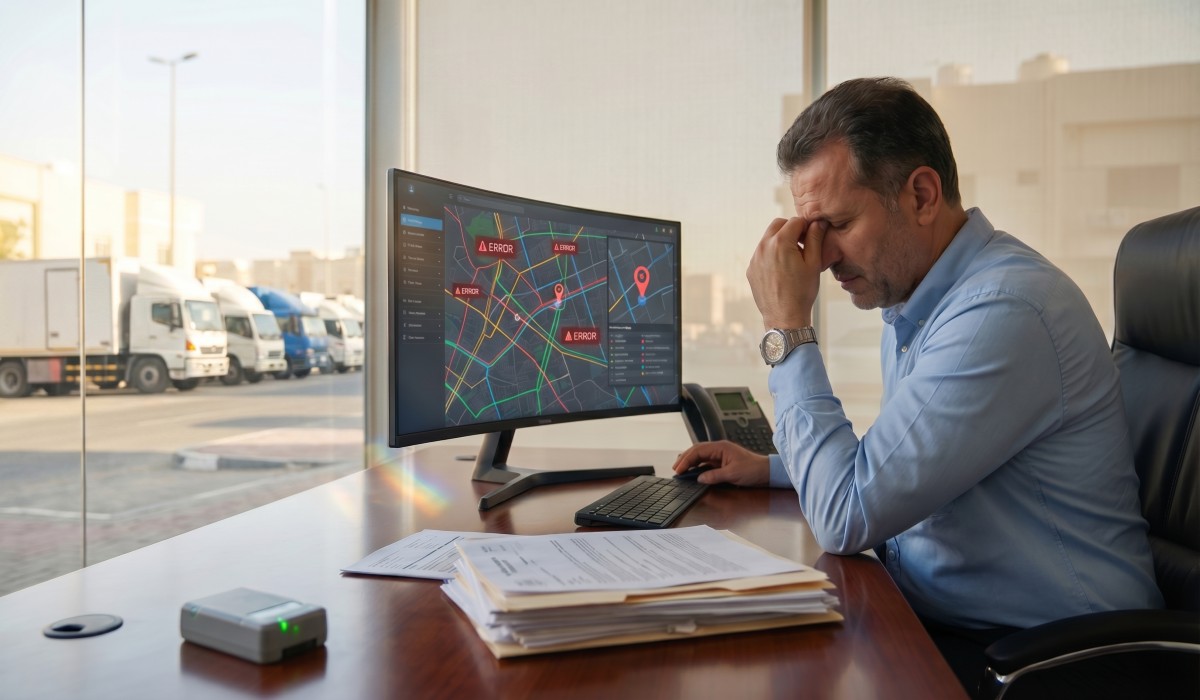
You bought the GPS units. You paid for the software subscription. You even sat through the onboarding demo. So why does your fleet still feel like it’s running blind?
Vehicle tracking is one of those tools that looks straightforward on paper. Slap a device on every truck, open the dashboard, and watch the dots move. Done. Except it rarely works that way. The companies getting real ROI from vehicle tracking aren’t using better hardware than you. They’re avoiding the mistakes that quietly kill the value of any tracking system and most business owners don’t even know they’re making them.
Here are the most common ones, and exactly how to fix them.
Mistake #1: Treating GPS Accuracy as a Given
GPS tracking accuracy issues are far more common than vendors like to admit (European GNSS Agency, n.d., #). A device might show your driver on one road while he’s actually two streets over. In Saudi Arabia’s mixed urban-desert landscape, signal interference from tall buildings, tunnels, and remote highway stretches can throw off location data in ways that matter (Geospatial World, n.d., #).
The fix isn’t to buy a more expensive unit and hope for the best. Start by auditing your current data. Are arrival times matching what drivers report? Are route deviations flagging trips that were actually correct? If your data doesn’t match reality 80% of the time, you have an accuracy problem.
The practical solution: choose tracking platforms with multi-constellation GPS (not just GPS, look for GLONASS or BeiDou support) ( (GPS.gov, n.d., #)), and position devices where they have a clear sky view, not buried under dashboards or hidden in metal compartments. Platforms like tracking.me are built to handle the specific signal conditions common across the GCC region, which makes a real difference in day-to-day reliability.
Mistake #2: Ignoring the Fleet Communication Gap
A tracking system tells you where your vehicles are. It doesn’t automatically communicate the same information to your drivers, dispatchers, and managers simultaneously. This fleet communication gap is where most of the operational waste hides.
Picture it: a driver finishes a delivery early in Al-Khobar and calls the dispatcher to ask for his next job. The dispatcher pulls up the tracking dashboard, sees the driver is nearby, and manually relays instructions over the phone. Two minutes wasted. Multiply that by 40 drivers, 8 interactions per day, and you’ve lost over 100 hours a month to a problem your tracking software was supposed to solve (American Transportation Research Institute, n.d., #).
Closing this gap means building communication directly into your vehicle tracking setup. The best systems let dispatchers send jobs to drivers through the same platform that shows location data, no phone calls, no WhatsApp threads, no crossed wires.
Mistake #3: Skipping Driver Buy-In (and Paying for It Later)
Driver acceptance tracking is the issue that never makes it onto the IT checklist, but it consistently determines whether a fleet management system actually works (FleetOwner, n.d., #).
Drivers who feel surveilled rather than supported will find ways around the system. Parking the vehicle before making a personal stop. Logging off early. Claiming GPS malfunctions. None of this shows up on a report, but it shows up in data you can’t trust.
The solution isn’t softer surveillance. It’s better communication before launch. Explain to drivers specifically how the data is being used. Show them that it protects them too proof of where they were if a customer disputes a delivery, evidence they weren’t at fault in an accident. When drivers see the tracking system as something that works for them, not just on them, the behavior changes.
Consider creating a simple one-page explainer for your team before rollout. Cover what gets tracked, who sees it, and what it’s used for. It takes 20 minutes to write and saves months of quiet resistance.
Mistake #4: Leaving the Tracking System Wide Open
Tracking system security is an afterthought for most fleet managers until something goes wrong. A competitor gets access to your route data. A disgruntled employee pulls driver locations. The tracking dashboard password is the same one the office has been using since 2019.
This isn’t paranoia. Vehicle tracking systems hold sensitive business data, customer delivery addresses, driver home routes, and vehicle schedules. In Saudi Arabia, where data privacy regulation is tightening under the PDPL framework (Saudi Data and AI Authority — SDAIA, n.d., #), a security breach isn’t just embarrassing. It carries legal risk.
The fix is mostly basic hygiene: unique login credentials per user, two-factor authentication turned on, and access permissions that match job roles. A driver doesn’t need to see historical reports for other drivers. A junior dispatcher doesn’t need to change geofence settings. Most platforms support role-based access, but most companies never configure it.
Check your current system today. How many people have admin-level access who shouldn’t? That number is usually higher than expected.
Mistake #5: Collecting Data Without Analyzing It
This is painful to say, but most businesses are sitting on months of vehicle-tracking data they’ve never actually reviewed. The dashboards look impressive. The reports are generated automatically. Nobody’s looking at them.
Effective vehicle tracking data analysis doesn’t require a data scientist. It requires someone asking the right questions once a week. Which routes are consistently taking longer than scheduled? Which vehicles are burning fuel faster than their counterparts? Which drivers have the highest idle time?
These questions have answers, and your tracking software already has the data. You just need to build a 30-minute weekly review into someone’s schedule. That’s it. The ROI vehicle tracking benefits that show up in case studies aren’t from magical AI dashboards (Aberdeen Group, n.d., #). They’re from fleet managers who actually use the reports.
A practical approach: pick three metrics that matter most to your business (fuel cost, on-time delivery rate, and idle time are a solid starting point). Track them weekly for 60 days. You’ll likely spot at least one pattern worth acting on within the first month.
Mistake #6: Rushing the Setup
Poor vehicle tracking setup is the original sin of fleet management. Devices are installed inconsistently. Geofences are drawn around rough approximations of your actual locations. Vehicle profiles are not matched to their actual fuel types or load capacities. The system technically works, but the data it produces is close enough to useless.
Take one full day before going live to do this right. Walk through every vehicle and verify device placement. Build your geofences around actual addresses, not general areas. Set up your alert thresholds based on realistic expectations, not factory defaults. This setup investment pays back within the first week.
Insider Tips for Better Fleet Tracking
A few things that consistently separate high-performing fleet operations from average ones:
Run a monthly data review, not just a crisis review. Most fleet managers only look at tracking data when something goes wrong. A monthly scheduled review catches problems before they become crises.
Tie tracking to maintenance, not just location. Vehicles with high idle time have more wear on their engines (Fleet Financials, n.d., #). Vehicles making hard-stop alerts frequently are eating brake pads faster. Use your tracking data to predict maintenance needs, not just react to them.
Test your own system as if you were a driver. Spend one day looking at the dashboard from the driver’s perspective. What feels intrusive? What would you resist? This exercise consistently surfaces employee tracking adoption problems before they appear in the data.
Set up geofence alerts that actually matter. Don’t alert on everything, you’ll start ignoring the notifications within a week. Pick the four or five location triggers that indicate a real problem and leave the rest off.
The Bottom Line
Fleet tracking works. The technology is mature, the data is reliable, and the ROI is well-documented (McKinsey & Company, n.d., #). But the businesses that fail to get value from it aren’t victims of bad hardware or overpromising vendors.
They’re making avoidable mistakes: trusting GPS accuracy without verifying it, leaving fleet communication gaps unaddressed, deploying systems without driver buy-in, ignoring security settings, and letting valuable data sit unread.
Fix these six things and you won’t need to wonder whether your tracking investment is paying off. You’ll see it clearly in fuel costs, in delivery performance, and in the hours your team stops wasting on problems the system was bought to solve.
References
Aberdeen Group. (n.d.). https://www.aberdeen.com
American Transportation Research Institute. (n.d.). https://atri-online.org
European GNSS Agency. (n.d.). https://www.euspa.europa.eu
Fleet Financials. (n.d.). https://www.fleetfinancials.com
FleetOwner. (n.d.). https://www.fleetowner.com
Geospatial World. (n.d.). https://www.geospatialworld.net
GPS.gov. (n.d.). https://www.gps.gov
McKinsey & Company. (n.d.). https://www.mckinsey.com
Saudi Data and AI Authority — SDAIA. (n.d.). Saudi Data and AI Authority — SDAIA